
 Add to Chrome — It's Free
Improve any prompt without leaving the app you're in
Select your rough text, press ⌘E, and it comes back sharper — right where you typed it. Any text box, any input, any app on your machine. In any language you write in.
Get accessWorks on the free plan · no card
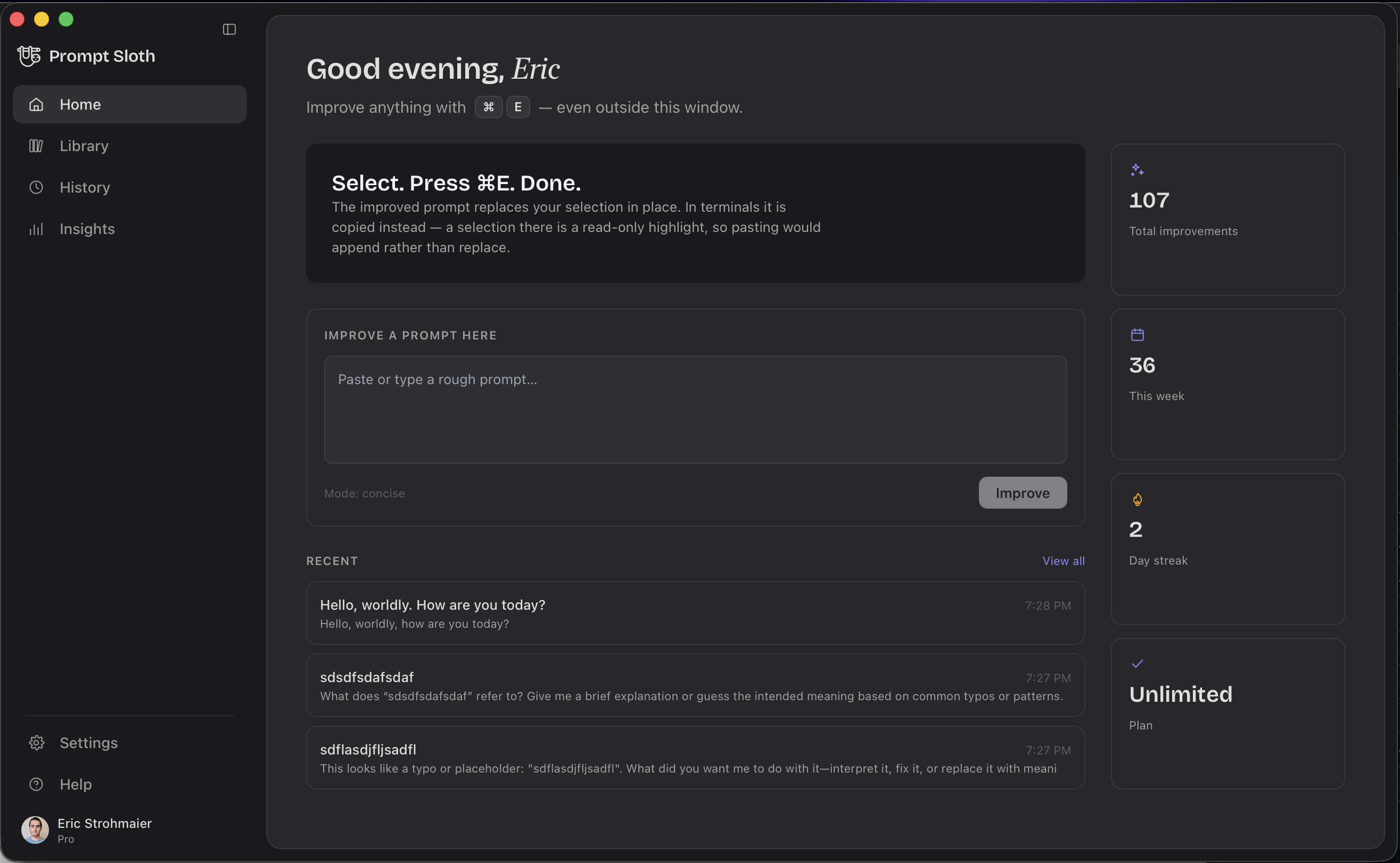
Three shortcuts, and that's the whole app
It lives in your menu bar and stays out of the way until you ask for it.
Improve what you selected
Select rough text in any app and press it. The improved version replaces your selection in place — no window switch, no copy-paste, no losing your spot.
Open the template palette
Search 38 built-in packs and your own templates. Press Enter and it drops straight into the app you were typing in.
Pick an action instead
Improve, Code, Grammar or Concise — for when the default rewrite is not the one you wanted.
Takes a second — we'll email you when you're in.
Everywhere
Any text box. Any input. Any app.
If you can select text in it, it works. A browser extension has to be taught each site one at a time — this reads your selection from the operating system, so the app you are in does not have to know anything about Prompt Sloth.
Desktop apps
Including the ones an extension can never reach.
- Claude
- ChatGPT
- Cursor
- Slack
- Telegram
- Brave
- Chrome
- Safari
- Notion
- Linear
- Notes
- VS Code
- Obsidian
- Discord
- Word
- …and every other text field
Terminals
Recognised by name, so the insert knows where it is landing.
- Terminal
- iTerm2
- Warp
- Ghostty
- Alacritty
- kitty
- WezTerm
- Hyper
- Tabby
- Rio
- cmux
You watch it happen
A small pill streams the improvement in as it is written, then gets out of the way. It never takes focus, so your cursor stays exactly where you left it and you can keep typing through it.
Get access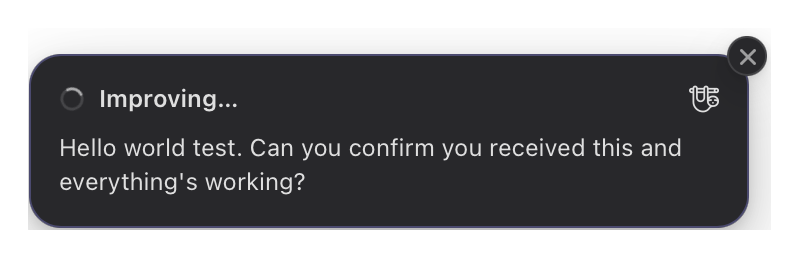
It answers in the language you wrote in
Write in German, Spanish, Japanese, Portuguese — anything. The improvement comes back in that same language, in your voice, unless you explicitly ask it to switch. Your prompt is not translated to English and back on the way through.
Built for terminals
Yes, it works in your terminal
Most tools that rewrite text quietly give up at a shell prompt. This one was built around it — Ghostty, Warp, iTerm2 and the rest are recognised by name, and the improved prompt is inserted straight onto your command line.
Insert, right on the prompt line
Turn on terminal insert in Settings and ⌘E replaces the line you are on with the improved version, ready to run. It never presses Return for you — sending the command stays your decision.
Or copy, if you'd rather look first
Out of the box it copies instead and holds the pill on screen — Copied · ⌘V to paste — so you read it before it touches your shell. One switch flips between the two.
Templates
Your whole prompt library, one shortcut away
38 packs are built into the app, and your own templates sit alongside them. Press ⌘⇧Space anywhere, type a //keyword, hit Enter — it lands in whatever you were typing in.
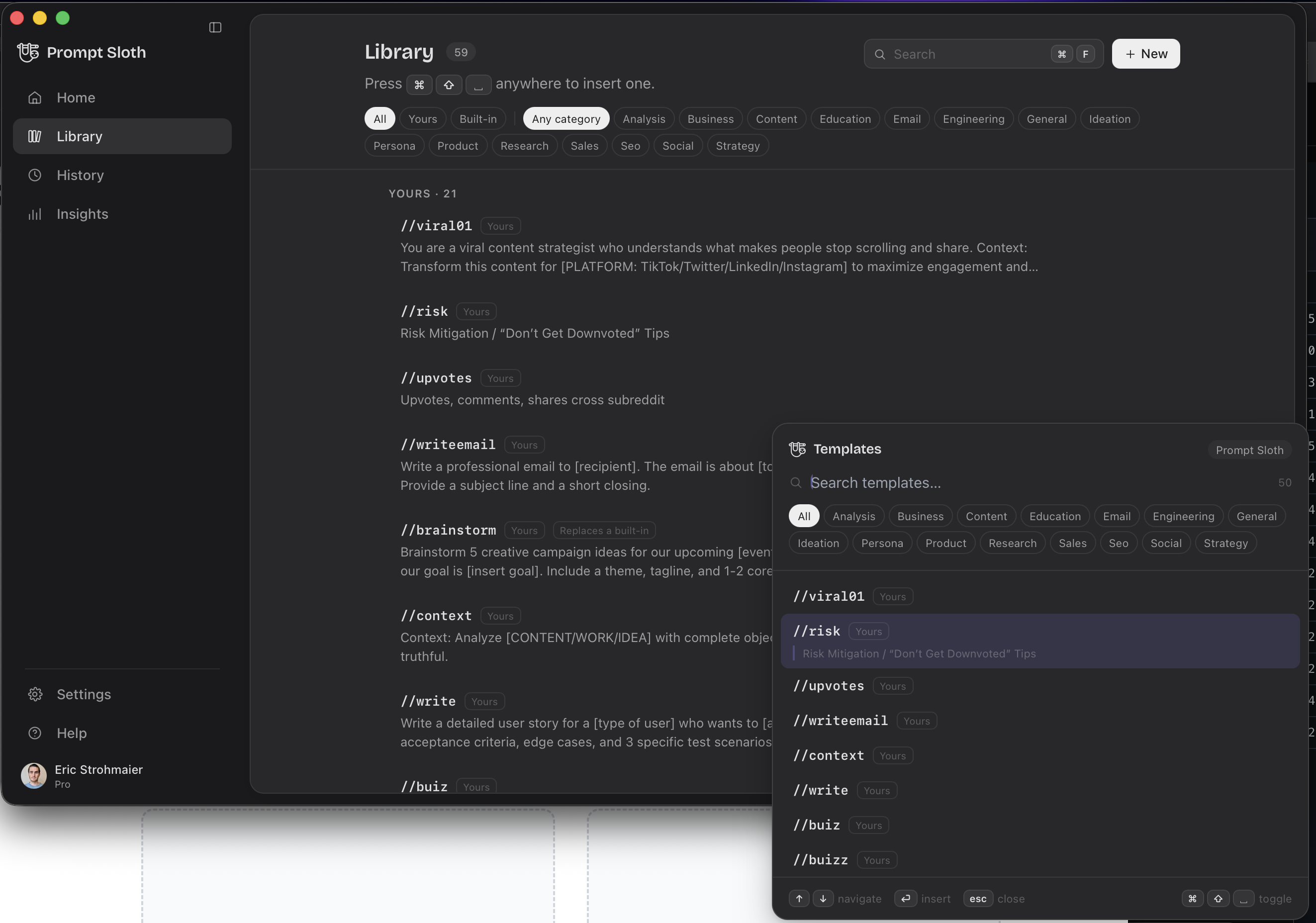
38 packs, built in
Bundled into the app itself, so they work on first launch and before you have even signed in.
Or your own
Write it once, give it a keyword, and it is yours everywhere — the same library you already have in the extension.
Lands where you were
The palette never steals your cursor. Enter puts the template in the app behind it, not in a window you then have to copy out of.
Tell us what you'd use it for — it genuinely shapes what gets built next.
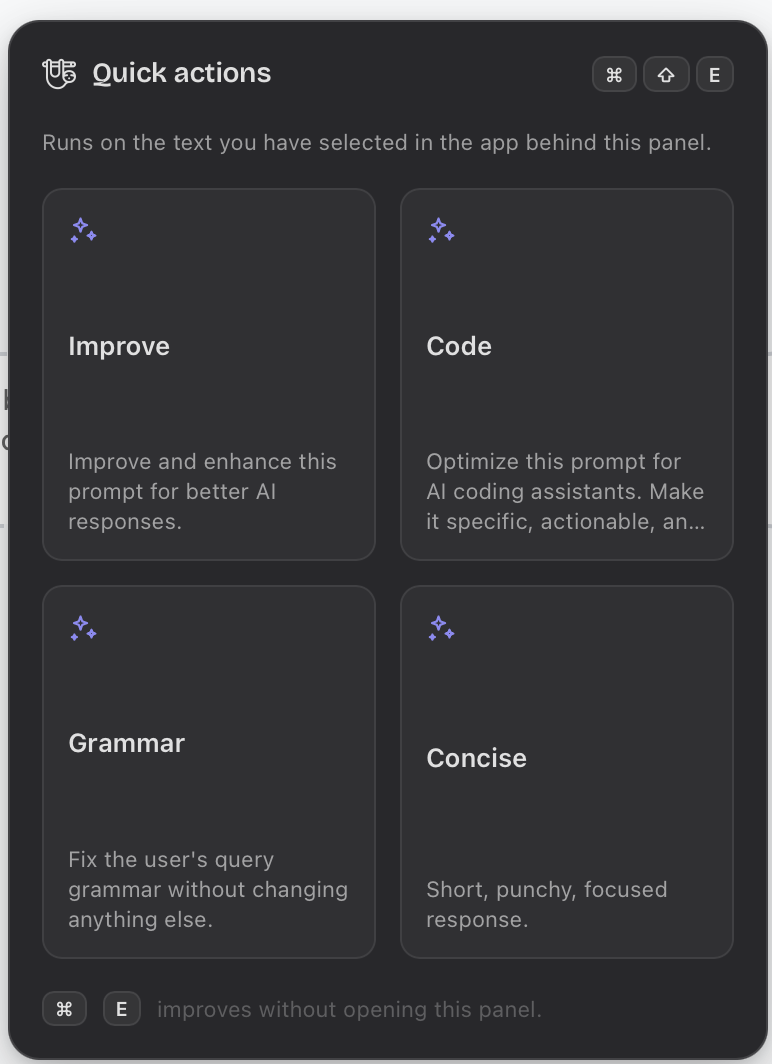
Four ways to rewrite, on ⌘⇧E
Improve is the default. When it is not what you want, the panel runs Code, Grammar or Concise over the same selection — without you retyping the instruction each time.
Everything you improved, kept
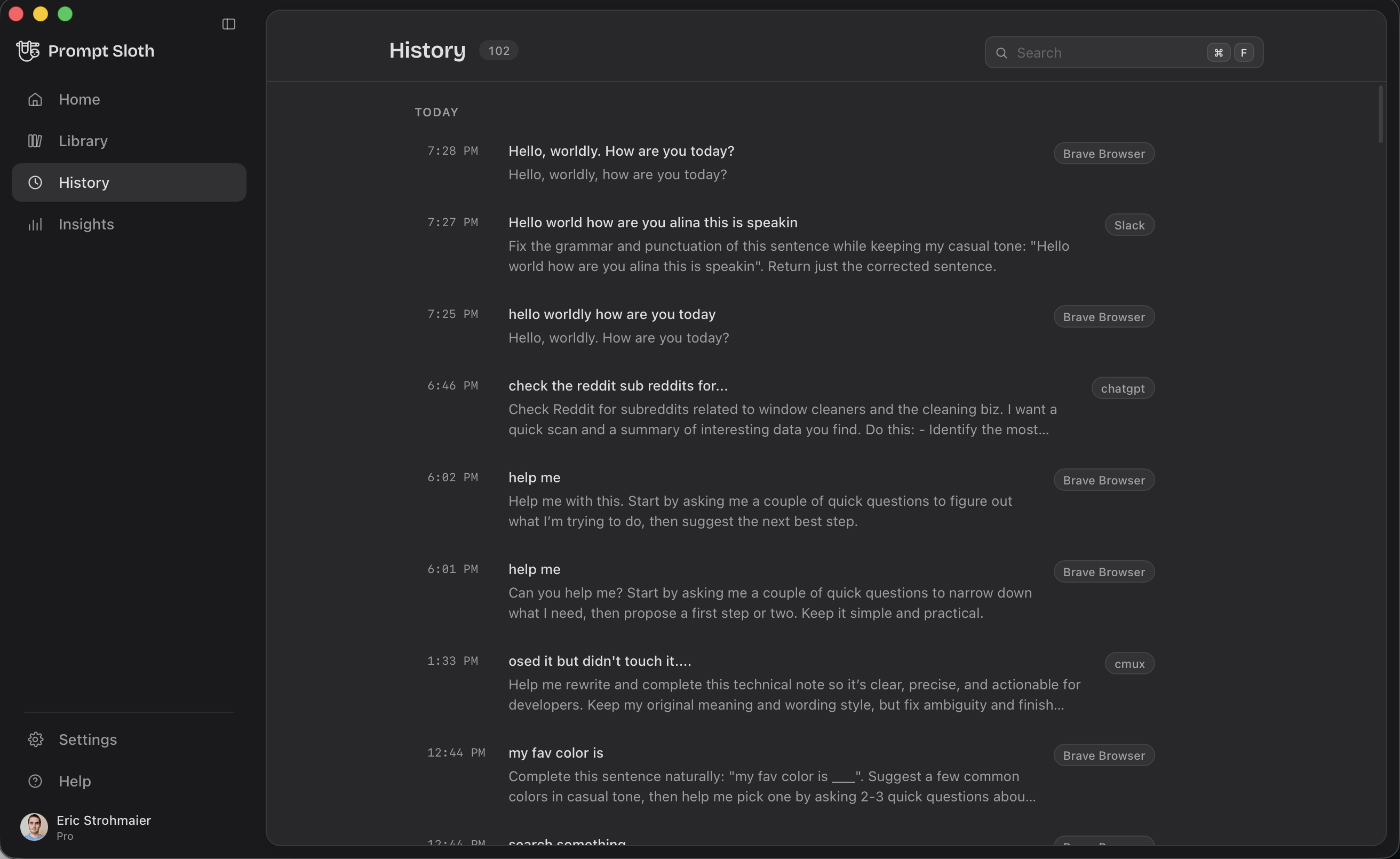
Every improvement is saved with the app it came from, so finding that good one again is a search rather than an archaeology project. It is the same history as the extension.
Nothing is read, watched or sent in the background — your text leaves your machine only when you press the shortcut. How we handle your data.